










Always-On Display, often shortened to AOD, has become a standard feature on modern smartphones and wearables. Many users in Pakistan ask a practical question before enabling it. Does Always-On Display actually drain the battery, or is it safe to keep on all day?
As someone who has tested phones, wearables, and display technologies over the years, I can say the answer is not a simple yes or no. It depends on how the feature works, the type of screen, and how you use your device. This guide explains Always-On Display in clear terms, how it affects battery life, and whether it makes sense for everyday users.
What Is Always-On Display?
Always-On Display is a screen feature that shows limited information even when the phone or watch is locked. Instead of turning the display fully off, the screen stays partially active.
Typically, Always-On Display shows:
-
Time and date
-
Battery percentage
-
Notification icons
-
Music controls
-
Basic widgets like steps or weather
The idea is simple. You glance at your device without pressing any button or waking the full screen.
How Always-On Display Works
The technology behind Always-On Display depends on the screen type.
AMOLED and OLED Displays
Most modern smartphones and smartwatches use AMOLED or OLED panels. These displays light up individual pixels instead of the entire screen.
When Always-On Display is active:
-
Only a few pixels are lit
-
Black pixels remain completely off
-
Power consumption stays relatively low
This is why AOD became popular only after OLED screens became mainstream.
LCD Displays
LCD screens use a backlight that stays on even if only a small part of the screen is visible. That makes Always-On Display inefficient on LCD devices. Very few LCD phones support true AOD for this reason.
Does Always-On Display Drain Battery?
Yes, Always-On Display does use battery power. The real question is how much.
Based on manufacturer documentation and real-world testing, battery drain from AOD is usually modest on OLED devices.
Typical Battery Impact
For most modern smartphones:
-
Around 0.5 to 1 percent battery drain per hour
-
Roughly 5 to 10 percent over a full day
For smartwatches:
-
Slightly higher impact due to smaller batteries
-
Usually 10 to 20 percent daily depending on settings
These numbers vary by brand, brightness level, and how much information is shown.
Real-World Observation
In practical use, many users do not notice a dramatic difference unless their phone already struggles to last a full day. On a device with good battery health, Always-On Display rarely becomes the main cause of battery anxiety.
What Affects Battery Drain the Most?
Not all Always-On Displays are equal. Several factors influence how much battery is consumed.
Screen Type and Quality
OLED quality matters. Newer panels from brands like Samsung and Apple are far more efficient than early OLED screens.
Brightness Level
Higher brightness means more lit pixels and higher power usage. Many phones adjust AOD brightness automatically based on ambient light.
Information Density
A simple clock uses less power than:
-
Animated wallpapers
-
Large notification previews
-
Colorful widgets
Minimal designs save battery.
Motion and Animations
Some Always-On Displays include subtle animations or moving elements. These look nice but increase power usage.
Software Optimization
Manufacturers optimize AOD differently. Google, Samsung, and Apple invest heavily in power management, while cheaper devices may not be as refined.
Always-On Display on Smartphones vs Smartwatches
Smartphones
On phones, AOD is mostly a convenience feature. It saves time and reduces screen wake-ups.
Pros:
-
Quick glance access
-
Fewer button presses
-
Modern premium feel
Cons:
-
Small but constant battery drain
Smartwatches
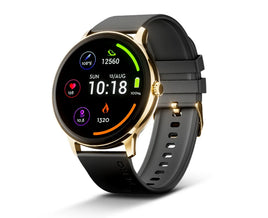
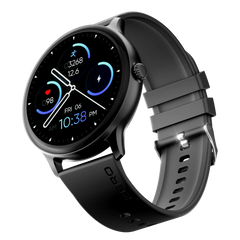
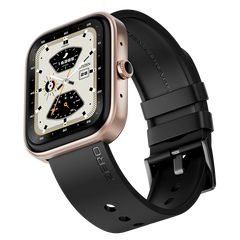
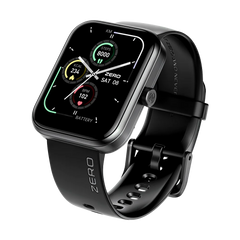
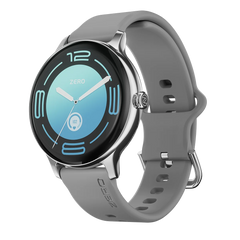
On wearables, Always-On Display is more noticeable because batteries are much smaller.
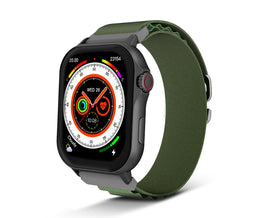
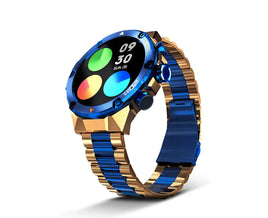
For users exploring options in the smart watch pakistan market, battery performance is often a deciding factor.
Some watches drop from two days of battery life to one day when AOD is enabled. Others handle it better due to aggressive dimming and refresh rate reduction.
Does Always-On Display Damage the Screen?
This is a common concern, especially with OLED panels.
Screen Burn-In Explained
Burn-in happens when static images remain on screen for long periods, causing uneven pixel wear.
Manufacturers reduce this risk by:
-
Slightly shifting pixel positions
-
Changing colors periodically
-
Dimming static elements
In my experience, burn-in from Always-On Display is rare on modern devices when using default settings.
When Should You Use Always-On Display?
Always-On Display makes sense if:
-
You frequently check time or notifications
-
Your device easily lasts a full day
-
You value convenience over maximum battery life
You may want to disable it if:
-
Your phone barely lasts until evening
-
You use an older OLED device
-
You prefer maximum battery longevity
Tips to Reduce Battery Drain from Always-On Display
You do not need to completely turn off AOD to save power. Small adjustments can make a noticeable difference.
Practical Settings to Change
-
Use minimal clock styles
-
Disable unnecessary widgets
-
Turn off animations
-
Enable auto brightness
-
Schedule AOD to turn off at night
Many phones allow Always-On Display to activate only when you tap the screen or during specific hours.
Always-On Display Myths
Myth 1: It Drains Battery Like Normal Screen Usage
False. AOD uses far less power than a fully active display.
Myth 2: It Always Causes Burn-In
Modern OLED protection techniques make this unlikely.
Myth 3: It Is Only a Gimmick
For professionals, commuters, and frequent phone users, it genuinely improves usability.
Comparison Table: AOD Impact by Device Type
|
Device Type |
Screen Type |
Battery Impact |
Recommended |
|
Flagship smartphone |
AMOLED |
Low |
Yes |
|
Mid-range smartphone |
AMOLED |
Moderate |
Depends |
|
Budget smartphone |
LCD |
High or unsupported |
No |
|
Premium smartwatch |
OLED |
Moderate |
Yes |
|
Budget smartwatch |
OLED |
High |
Use carefully |
Final Verdict: Is Always-On Display Worth It?
Always-On Display is a well-designed feature that balances convenience and power efficiency. On modern OLED devices, the battery drain is real but manageable. For most users, especially those with newer phones or watches, the benefits outweigh the drawbacks.
If battery life is critical for your daily routine, tweaking AOD settings or using scheduled activation is the smart approach. Technology has matured enough that Always-On Display no longer feels like a luxury that costs too much power.